ERP
Linking Enrolment Data to School Budgeting and Forecasting
How connecting enrolment data to the budget model removes one of the most common manual steps in school financial planning.
November 27, 2026
Quick Answer
When enrolment numbers are connected to the budget model, a change in projected cohort size updates fee revenue and staffing assumptions in the same model, rather than requiring a manual recalculation in a separate workbook. Linking enrolment data to budgeting and forecasting is usually one of the highest value integrations a school can make, because enrolment drives both sides of the budget: revenue and staffing cost.
Key Takeaways
- Enrolment is usually the single assumption that drives the most other numbers in a school budget, which is why linking it to the model matters so much.
- A connected enrolment figure updates fee revenue and staffing assumptions together, rather than requiring two separate manual recalculations.
- Reforecasting becomes significantly faster once enrolment data feeds the budget model directly rather than being re-entered by hand.
Confirmed enrolment numbers arrive in late January, three fewer students in Year 7 than the October budget assumed. Finance opens the budget model to update fee revenue, then checks whether the lower number affects the number of classes, and therefore staffing, then updates that separately. Two changes driven by one number, made by hand, in two different parts of the workbook.
Why Does Enrolment Drive So Much of a School Budget?
Enrolment numbers determine both sides of a school's largest budget lines. On revenue, enrolment by year level and fee category drives fee income. On cost, enrolment drives class numbers and therefore a large share of staffing cost. When enrolment is connected to the model in only one place, revenue and staffing can easily end up using different assumptions about the same cohort.
What Does Linking Enrolment Data to the Budget Model Actually Look Like?
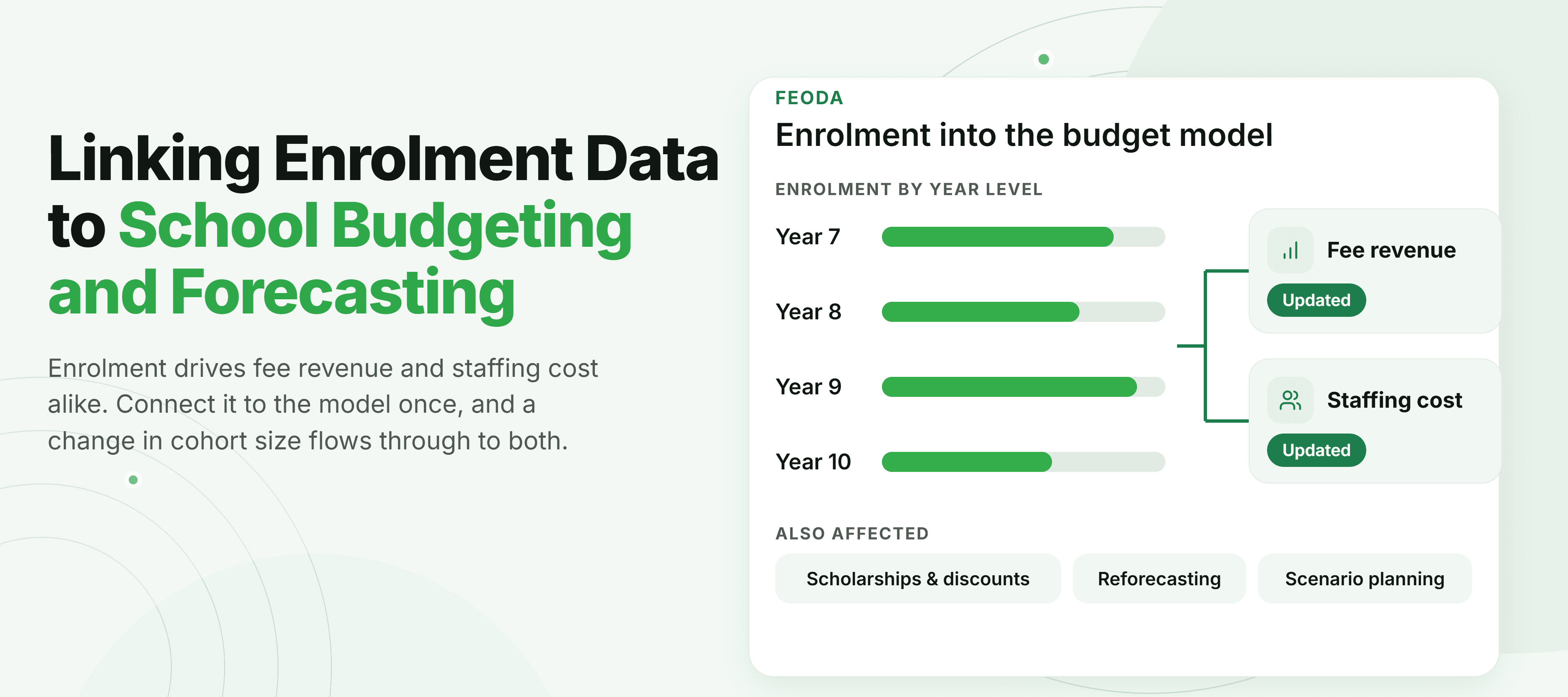
When enrolment data is linked directly to the budget, a change in projected cohort size updates fee revenue and the staffing assumptions driven by class numbers in the same model, from the same figure. Finance does not need to separately recalculate each side, because both are reading from the same enrolment number.
| Area | What Enrolment Affects | What Changes When It Is Linked |
|---|---|---|
| Fee revenue | Enrolment by year level and fee category drives total fee income | Fee revenue updates automatically when enrolment changes |
| Class numbers and staffing | Enrolment determines how many classes, and therefore teachers, are needed | Staffing cost assumptions update from the same enrolment figure, not a separate estimate |
| Scholarships and discounts | The number of students receiving a scholarship or discount affects net fee revenue | Net revenue reflects both enrolment and discount assumptions together |
| Reforecasting | Confirmed enrolment typically arrives after the annual budget is set | The reforecast updates from the confirmed number without rebuilding the model |
| Scenario planning | A lower enrolment scenario affects revenue and staffing differently | Both can be modelled together from one changed assumption |
How Does This Change the February Reforecast?
The February reforecast is usually the first point where confirmed enrolment meets the annual budget. When enrolment is linked to the model, the reforecast becomes a matter of entering the confirmed number and reviewing the result, rather than rebuilding the fee revenue and staffing calculations separately by hand.
Now Imagine One Number Updating Both Sides of the Budget
Now imagine entering one confirmed enrolment number in February and watching fee revenue and staffing assumptions update together, because both were always built from the same figure. PULSE, Feoda's planning and forecasting platform, links enrolment data directly into the budget model, so a change in cohort size flows through to both sides of the budget rather than requiring two separate updates.
The finance team still makes the same judgement calls about assumptions. What changes is how many times the same number has to be entered.
Frequently Asked Questions
By connecting enrolment data directly to the budget model, so a change in projected cohort size updates fee revenue and staffing assumptions in the same model, rather than requiring separate manual recalculations.
Related Articles
- ERPSoftware That Connects School Budgeting, Billing and Reporting
- ERPThe Most Reliable School Finance Management Platforms

- ERPWhich Systems Streamline School Fee Billing and Collections?
- ERPThe Best Tools for School Financial Planning
- ERPThe Best Finance Platforms Built for Schools (And What to Look For)
- ERPA Practical School Financial Reforecasting Method for Changes in Enrolment
- ERPHow to Calculate the Time and Cost of Manual School Fee Reconciliation
- ERPHow to Improve School Enrolment Forecasting: 5 Inputs Finance Teams Should Track